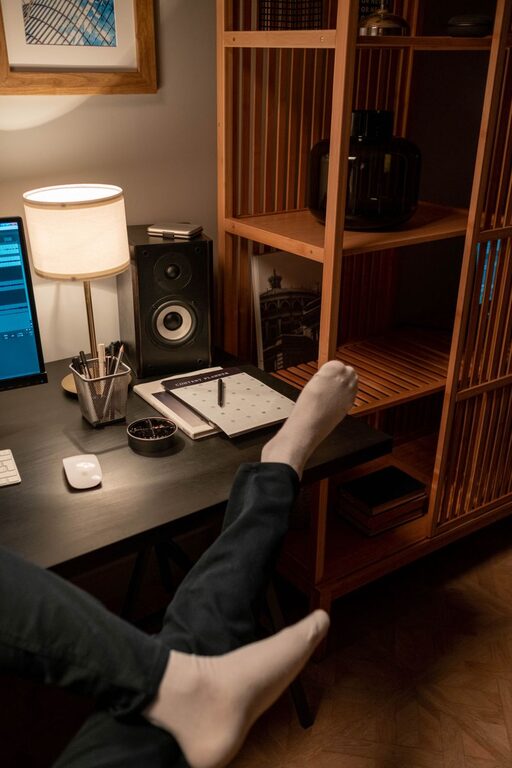


Creating a well-organized workspace can significantly improve your productivity and overall work experience. When your desk, tools, and digital files are neatly arranged, it’s easier to focus, reduces stress, and helps you manage your time better. If your workspace feels chaotic or cluttered, don’t worry—small, practical changes can make a big difference. Below are easy tips to help you organize your workspace and build habits that boost your efficiency.
Why Organizing Your Workspace Matters
Before diving into the tips, it’s important to understand why a tidy workspace benefits you:
– Reduces distractions: Clutter can pull your attention away from tasks, making it harder to concentrate.
– Saves time: When everything has its place, you spend less time searching for items or files.
– Enhances creativity: A clean environment fosters clearer thinking and new ideas.
– Improves posture and comfort: Proper setup can prevent strain and make long work sessions more comfortable.
Now, let’s explore actionable steps to help you achieve an organized, productive workspace.
Start with Decluttering
The first step is to remove unnecessary items from your desk and work area.
– Clear off your desk: Take everything off your surface and only put back what you need regularly.
– Sort through papers: Recycle old documents and organize important ones in folders or filing cabinets.
– Reduce knick-knacks: Limit decorations or personal items to a few favorites that inspire you without crowding your space.
– Evaluate your supplies: Keep only the tools and stationery you use daily within reach.
This initial decluttering creates a fresh slate to work with.
Optimize Your Desk Layout
How you arrange your desk can streamline your workflow.
– Keep essentials close: Place your computer, keyboard, mouse, and phone within easy reach.
– Use organizers: Desk trays, pen holders, and small containers help keep supplies tidy.
– Create zones: Designate areas for different activities like computer work, writing, or reviewing documents.
– Maintain clear space: Leave some space free for note-taking or quick tasks.
A thoughtful layout reduces unnecessary movements and interruptions in your flow.
Manage Cables and Electronics
Tangled cords and bulky devices often add to workspace clutter.
– Use cable organizers: Clips, sleeves, or ties keep cords neat and prevent tangling.
– Label cables: Identifying chargers and plugs makes connections easier.
– Limit devices: Only keep electronic gadgets you actively use nearby.
– Utilize wireless options: Wireless keyboards, mice, or headphones can reduce cable mess.
Tidying cables enhances the overall clean look and makes your desk easier to clean.
Implement Smart Storage Solutions
Effective storage supports organization and quick access.
– Drawer dividers: Keep office supplies separated and easy to find.
– Shelves and bins: Use vertical space for books, binders, or reference materials.
– File organizers: Sort paperwork by category or priority for easy retrieval.
– Digital storage: Back up important files on your computer or cloud services and delete duplicates regularly.
Tailor storage to your specific needs for the best results.
Keep Your Digital Workspace Organized
Physical tidiness is important, but don’t forget about your computer and digital files.
– Create folders: Organize files and documents by project, date, or type.
– Declutter your desktop: Avoid cluttered icons by moving files into folders.
– Use productivity apps: Tools like task managers, calendars, or note-taking apps can help you stay on track.
– Perform regular backups: Protect your work and avoid loss by backing up files consistently.
A clean digital workspace promotes focus and stress-free working.
Maintain Cleanliness Daily
Keeping your workspace neat requires daily attention.
– End-of-day tidying: Spend 5–10 minutes putting things away before finishing work.
– Wipe surfaces: Clean your desk and keyboard regularly to maintain hygiene.
– Evaluate your setup: Adjust and remove items that don’t add value to your routine.
– Stay mindful: Pause occasionally to assess if your space supports your productivity.
Consistency is key for long-term organization benefits.
Personalize Without Overcrowding
Adding personal touches can make your workspace enjoyable.
– Choose calming colors: Use neutral or soft-toned accessories to create a peaceful environment.
– Add plants: Small, low-maintenance plants improve mood and air quality.
– Display inspiring items: Keep one or two photos or quotes that motivate you.
– Avoid excess: Too many personal items can clutter your focus.
Balanced personalization creates a workspace that feels inviting but remains functional.
Summary: Small Steps Lead to Big Productivity Gains
Organizing your workspace doesn’t need to be complicated or time-consuming. By decluttering, optimizing your desk layout, managing cables, and keeping both your physical and digital environments tidy, you set yourself up for a more focused and productive workday. Remember to maintain your setup daily and personalize it thoughtfully to create a space where you enjoy working.
Try implementing one or two tips at a time and see how these changes improve your workflow. A more organized workspace can help you feel less stressed and more in control—perfect ingredients for getting your best work done.